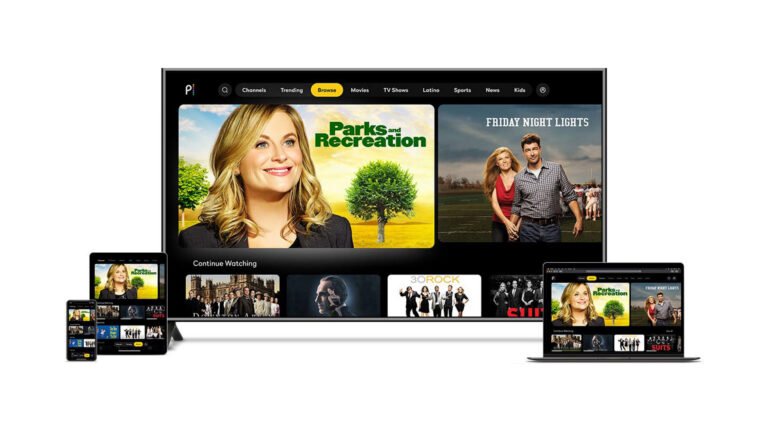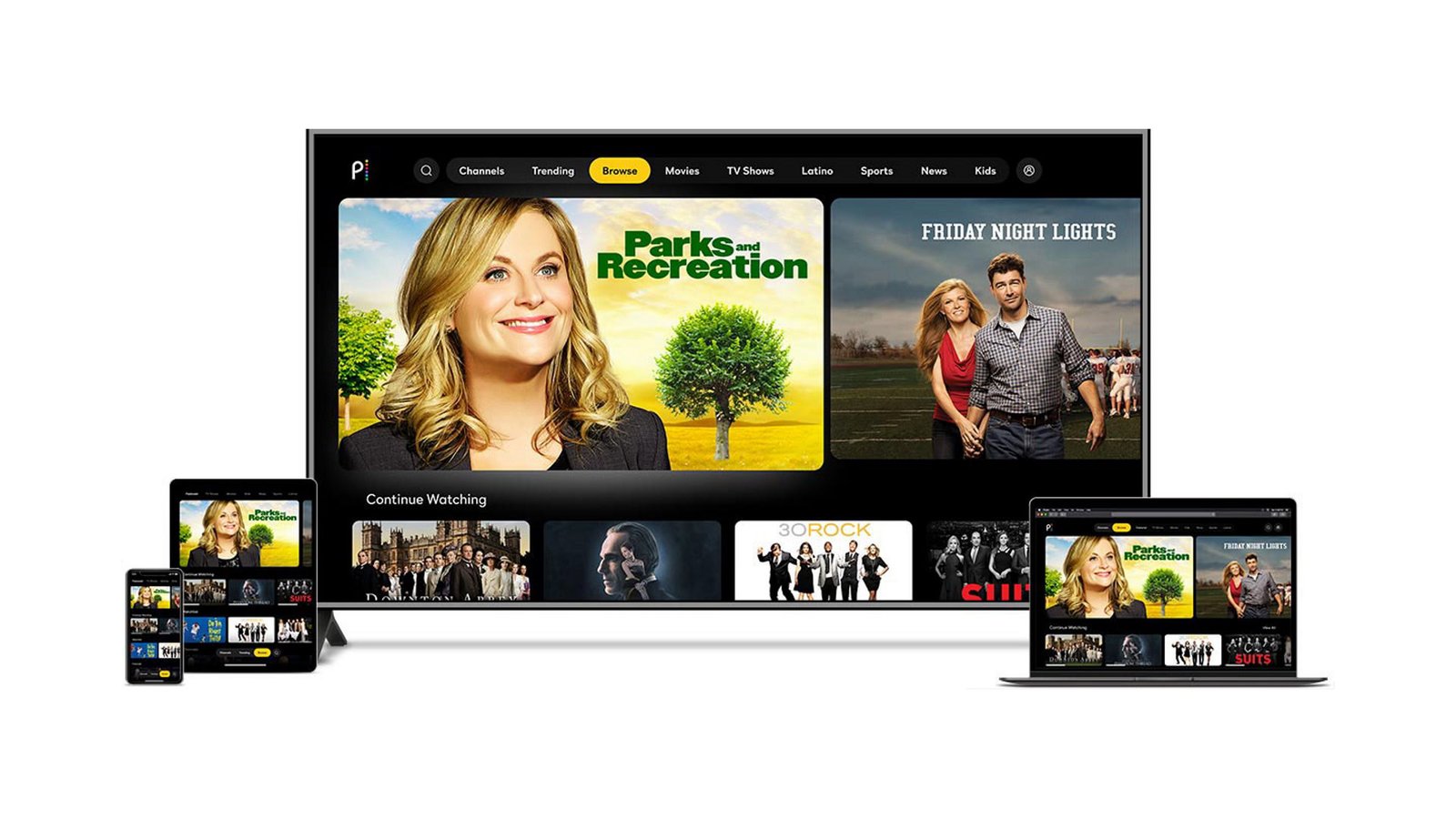
Peacock Streaming
Peacock streaming gives viewers access to movies, TV shows, live sports, events, and original programs. The service is owned by NBCUniversal and works across many popular devices. You can watch through the Peacock website or its app. The platform offers several plans for different viewing needs. Some plans include ads, while Premium Plus offers fewer ads with limited exceptions.
One useful thing about Peacock is its mix of entertainment. You can watch TV favorites, movies, sports, and Peacock Originals in one place. Sports fans can also find live events and major sports programming. The platform keeps changing its content, so the available library can vary over time. This guide explains the service in simple terms. It also covers pricing, devices, downloads, sports, and account options. That makes it easier to decide which plan fits your needs.
Peacock Streaming Plans and Current Prices
Peacock currently offers three main plans called Select, Premium, and Premium Plus. Select costs $8.99 per month or $89.99 per year. It includes TV content with ads but excludes sports, movies, and Peacock Originals. Premium costs $12.99 per month or $129.99 per year. It includes TV, movies, sports, and Peacock Originals with ads. Premium Plus costs $19.99 per month or $199.99 per year. It provides the broader content offering with no ads on most content, plus downloads.
The annual plans can offer better value for people who expect regular use. Peacock says annual plans provide 12 months for the price of 10. Still, your best choice depends on how often you watch. Select may suit viewers who mainly want TV programming. Premium is a stronger choice for mixed entertainment. Premium Plus makes more sense for people who dislike ads and want downloads.
Is Peacock Streaming Worth Paying For?
Whether Peacock streaming is worth the cost depends on what you watch most. A viewer who enjoys NBC and Bravo content may find strong value. Sports fans may also prefer Premium because Select excludes sports. Movie lovers should also consider Premium because Select excludes movies. This makes the middle plan more useful for many households.
I would compare your favorite content before choosing a plan. Do not select the cheapest option automatically. A cheaper plan can feel expensive if it removes content you wanted. Premium Plus costs more, but it adds downloads and reduces ads. That can be helpful for frequent viewers. However, even Premium Plus has limited ad exceptions. Some channels, live events, sponsored content, and certain programs can still contain ads. Therefore, the best plan is based on your viewing habits, not just price.
What Can You Watch on Peacock?
Peacock streaming includes several types of entertainment. The platform offers TV shows, movies, sports, live events, and Peacock Originals. Its official plan pages currently highlight TV favorites from NBC and Bravo. They also promote live sports, hit movies, and original programming.
The library can change as licensing agreements and release schedules change. That means a movie available today may not stay forever. The same can happen with television series. For this reason, viewers should search the Peacock app before planning a long viewing session. You can also explore dedicated areas for movies, TV shows, sports, and WWE content. Peacock provides a search function to help users find specific titles.
Peacock Streaming for Sports Fans
Sports are one of the major reasons people choose Peacock streaming. Premium includes live sports and events, while Select does not include sports. Peacock currently promotes sports such as Premier League coverage and other live events. Its homepage also highlights ongoing sports programming.
This makes the service useful for viewers who want entertainment and sports together. Instead of paying for a separate entertainment service, you may get both in one subscription. Still, sports availability depends on the event and current rights. Not every game or competition is available on Peacock. Always check the sports section before subscribing for one specific event. This simple step can prevent disappointment. If sports are your main reason for subscribing, Premium is generally the relevant plan to compare.
Peacock Streaming on Smart TVs
Peacock streaming works on many smart TVs and connected devices. Supported options include Android TV, Apple TV, Google TV, LG TVs, Samsung Smart TVs, VIZIO TVs, and Hisense VIDAA devices. Support can depend on the operating system and model year.
Installing Peacock on a smart TV is usually simple. Open your television’s app store and search for Peacock. Select the official app and install it. Then open the app and sign in. New users can select the option to choose a plan. Peacock also lets users search for shows and movies inside the app. This makes browsing easier with a remote control. Before troubleshooting, check whether your television model meets Peacock’s current requirements. Older devices may not support newer app versions.
Peacock Streaming on Phones and Tablets
You can also use Peacock streaming on compatible mobile devices. Peacock supports Android devices running Android 7.0 or newer. It supports iPhones and iPads using iOS 16 or newer. These requirements can change as software updates arrive.
Mobile viewing can be useful when you are away from your television. You can watch shows during travel or while relaxing somewhere else. Premium Plus adds another useful feature for mobile users. Eligible content can be downloaded for offline viewing on supported phones and tablets. However, not every title can be downloaded. The download option appears only when content is eligible.
Peacock Streaming on Computers
Watching Peacock on a computer is another simple option. Peacock supports several modern web browsers on Windows and Mac computers. Current supported browsers include Chrome, Firefox, Microsoft Edge, and Safari. Each browser has its own minimum version requirement.
Computer viewing works well when you do not want to install another device app. Visit the Peacock website and sign into your account. Then search for a movie, show, or event. A stable internet connection is important for smooth playback. If a video keeps buffering, first check your connection. You can also update your browser and close unnecessary tabs. Using a supported browser can reduce compatibility problems. These small steps often solve basic playback issues without complicated troubleshooting.
Peacock Streaming and Offline Downloads
Offline downloads are available to Premium Plus subscribers for selected content. Downloads work on supported mobile and tablet devices. Peacock allows Premium Plus accounts to have up to 25 downloaded pieces of content across devices at one time. Not every program supports downloading, so the download icon may not appear for every title.
Downloaded content also has time limits. Once you start watching downloaded content, it is automatically removed after 48 hours. Unwatched downloads can be removed after 30 days. They can also disappear sooner if the title leaves Peacock. Logging out or uninstalling the app removes downloaded content from that device.
This feature is useful for flights, road trips, and places with weak internet. Downloading before leaving home can make travel viewing much easier.
Peacock Streaming and Ads
Ads depend on the Peacock plan you choose. Select and Premium include ads. Premium Plus is designed to provide no ads on most content, but Peacock lists important exceptions. Ads can remain in channels, live sports, live events, sponsored content, and some other programming.
This difference matters when comparing subscription prices. Some viewers do not mind short commercial breaks. Others prefer paying more for a cleaner viewing experience. Premium Plus can make sense for frequent viewers who strongly dislike ads. However, it should not be described as completely ad-free in every situation. Peacock clearly notes that limited exceptions apply. Reading those details before subscribing helps set realistic expectations. It also prevents confusion when an advertisement appears during certain live or sponsored programming.
How to Start Peacock Streaming
Starting Peacock streaming is straightforward. First, visit the Peacock website or install the Peacock application on a supported device. Then create an account or sign in to an existing account. Next, select the plan that matches your viewing needs. Peacock provides account setup directly through its service.
After subscribing, open the app on your preferred device. Search for a movie, show, or sports event. You can also browse different content categories from the home screen. On supported televisions, Peacock provides sections for movies, TV shows, sports, WWE, and live content.
A good first step is creating a short watchlist. Add programs you genuinely want to watch. This helps you avoid spending too much time browsing. It also makes the service feel easier to use.
Peacock Streaming for Families
Peacock streaming can provide entertainment for different people in one household. One person might enjoy movies, while another prefers sports. Someone else may want television shows or original programs. The range of content makes the platform useful for mixed viewing habits.
Parents should still review content before younger children watch. Streaming libraries contain programs aimed at different age groups. Content ratings and parental controls can help families make better choices. It is also smart to discuss account sharing and viewing habits at home. Every household has different needs. A family that watches frequently may benefit from an annual plan. A casual viewer may prefer paying monthly. The important point is to choose based on actual use. This approach can help avoid paying for features nobody uses.
Peacock Streaming Features That Matter
Several features can make Peacock streaming more convenient. Search tools help you find specific programs quickly. Content hubs organize movies, TV shows, sports, and other categories. Supported Premium Plus users can also download eligible content for offline viewing.
Another useful feature is the ability to watch across different supported platforms. You can move from a television to a phone or computer when needed. Device support includes many major streaming platforms and smart televisions.
The best feature depends on your habits. If you travel often, downloads may matter most. If you watch sports, plan availability matters more. If you dislike ads, Premium Plus may be attractive. Think about your routine before paying for extra features.
Peacock Streaming: Quick Details Table
| Detail | Information |
| Service | Peacock |
| Main content | TV, movies, sports, live events, originals |
| Select price | $8.99 monthly / $89.99 yearly |
| Premium price | $12.99 monthly / $129.99 yearly |
| Premium Plus price | $19.99 monthly / $199.99 yearly |
| Select sports | Not included |
| Premium sports | Included |
| Premium Plus downloads | Available for selected content |
| Mobile support | Android and iOS |
| Computer support | Chrome, Firefox, Edge, Safari |
| Smart TV support | Several major platforms |
| Offline viewing | Available for eligible Premium Plus downloads |
| Ad-free viewing | Premium Plus, with limited exceptions |
| Annual plan value | 12 months for the price of 10 |
Peacock’s current prices and features can change, so check the official plan page before subscribing.
Tips for a Better Peacock Streaming Experience
A few simple habits can improve your viewing experience. First, check your internet connection if videos buffer. Second, keep the Peacock app updated on your device. Third, make sure your device is supported. Peacock publishes a current list of supported platforms and software requirements.
You should also compare plans before paying. If you only need basic television content, Select may be enough. If you want sports and movies, Premium provides a broader package. If downloads and fewer ads matter, Premium Plus may be worth considering.
Another useful habit is checking the content page before planning a movie night. Streaming libraries can change. A quick search can confirm whether your desired title remains available. These small checks can save time and make your streaming experience smoother.
Is Peacock Streaming Good for You?
Peacock streaming can be a strong choice for viewers who want varied entertainment. It combines television, movies, sports, live events, and original programming. The different subscription levels also make it easier to choose based on your needs. However, each plan has clear limits. Select excludes movies, sports, and Peacock Originals. Premium adds those categories but includes ads. Premium Plus costs more and adds downloads with fewer ads.
The right choice depends on what you watch most. Do not choose a plan only because it has the lowest price. Look at the content and features you actually need. Also check current prices because streaming services can change their plans. If Peacock matches your favorite shows, movies, or sports, it may offer good value. If not, another service could better fit your viewing habits.
Frequently Asked Questions
1. What is Peacock streaming?
Peacock streaming is NBCUniversal’s streaming service for TV shows, movies, sports, live events, and original programs. It offers several subscription options with different content and features. The service works on computers, phones, tablets, smart TVs, streaming devices, and game consoles. Supported devices depend on current Peacock requirements.
2. How much does Peacock cost?
Peacock currently lists Select at $8.99 monthly, Premium at $12.99 monthly, and Premium Plus at $19.99 monthly. Annual prices are $89.99, $129.99, and $199.99 respectively. Peacock states that annual plans provide 12 months for the price of 10.
3. Does Peacock include live sports?
Yes. Premium and Premium Plus include live sports and events. Select excludes sports. Peacock currently promotes sports programming, including Premier League content. Sports availability can vary by event and current rights.
4. Can I watch Peacock offline?
Yes, but offline downloads have limits. Premium Plus subscribers can download selected content on supported mobile and tablet devices. Peacock allows up to 25 downloaded pieces of content across devices. Downloaded programs also have expiration rules.
5. Can I watch Peacock on a smart TV?
Yes. Peacock supports many smart TVs and connected devices. Supported platforms include Android TV, Apple TV, Google TV, LG, Samsung, VIZIO, and Hisense VIDAA. Exact support can depend on your device model and software version.
6. Is Peacock Premium Plus completely ad-free?
No. Premium Plus removes ads from most content, but limited exceptions remain. Peacock says ads can still appear in channels, live sports, live events, sponsored content, and some programs. Therefore, Premium Plus should be viewed as mostly ad-free rather than universally ad-free.
Conclusion
Peacock streaming offers a flexible way to watch television, movies, sports, live events, and original programs. Its three main plans target different viewing habits. Select is designed for basic TV viewing. Premium adds movies, sports, and Peacock Originals. Premium Plus adds downloads and fewer ads for a higher price.
The smartest choice is to focus on your own viewing needs. Check the shows and sports you want before subscribing. Then compare the plan features and current price. Also make sure your television, phone, tablet, or computer is supported. Peacock’s official help pages provide current device information and feature details.
If the service has the content you enjoy, it can be a useful addition to your streaming lineup. Take a few minutes to compare the plans. That simple step can help you get more value from your subscription.
About the Author